On a delivered account, a dry run helps answer whether one exact slot configuration is structurally valid now. It does not answer whether the creative is good, whether the post should ship, or whether future publication will succeed.
01STORY BRIEFTurn one preview into one clear approval record3 SCREENS
Validate the actual slot body
For a delivered account, preview the exact media URL, description, disclosure and date you intend to send later. A partial body can create false confidence.
This article addresses a narrower problem than a general dry-run explainer: how to review one existing delivered-account video slot after simulation, with a reusable approval artifact. TokPortal documents that dry run performs the same validation and server-side pricing as a real write, then stops before the first write. Nothing is created, nothing is charged, and any identifiers returned are synthetic planning artifacts rather than live objects [1]. That contract is useful, but teams still need an internal decision method for the specific slot they intend to spend.
The delivered-account MP4 preview recipe describes an existing-account operation. The documented recipe starts only after a real account has already been delivered and already has a video-capable bundle with an unused slot. The check does not purchase capacity, store media, or publish. Instead, it simulates one configuration request against a real bundle position while keeping the slot unchanged [2]. That makes the relevant review unit very concrete: one account, one bundle slot, one media URL, one description, one disclosure choice, and one target date.
That focus matters because dry run validates structure, not editorial merit. The API can tell you whether the request shape, permissions, and date rules are acceptable for this operation. It cannot assess whether the hook is clear, whether the on-screen proof is persuasive, whether the footage is boring, or whether the post fits the account strategically. Those remain human decisions. A useful approval workflow therefore separates two layers: platform-checked validity and human-judged suitability.
TokPortal’s recipe also warns against incomplete previews. The documented request uses a PUT call for a specific bundle video position and includes video_type, video_url, description, target_publish_date, ai_content_disclaimer, and auto_publish: false [2]. Because this operation is documented as full-replace configuration, the preview should include the fields you actually intend to send later, not a minimal stub that passes validation but omits the real intended state [2]. In practice, that means the safest preview is a rehearsal of the full slot payload, not a loose test of one caption string.
Scheduling is the main place where operators misread what a failure means. TokPortal’s MCP documentation states that one bundle maps to one account, that the earliest target_publish_date is today plus three days while account creation is still pending and today plus one day once the account is delivered or already existing, and that a maximum of three videos per day applies per bundle [3]. The delivered-account preview page further says the API may return INVALID_DATE with details.earliest_allowed, and that response should be treated as TokPortal’s validation result for this request, not as a judgment about the creative itself [2][3]. If the preview fails on date rules, the next move may be rerouting the post to another day, not rewriting the video concept.
Identifier hygiene is the second frequent failure. TokPortal documents that dry-run IDs are synthetic, recognizable, and accepted only inside further dry-run chains; a live request using one is rejected with DRY_RUN_ID_IN_LIVE_REQUEST [1][3]. So the review record should never mix preview references with live execution IDs. If a person approves the post after preview, the later real call must stand on its own returned live identifiers. This is less glamorous than creative review, but it prevents a common handoff error: treating a simulated object as if it already exists in production.
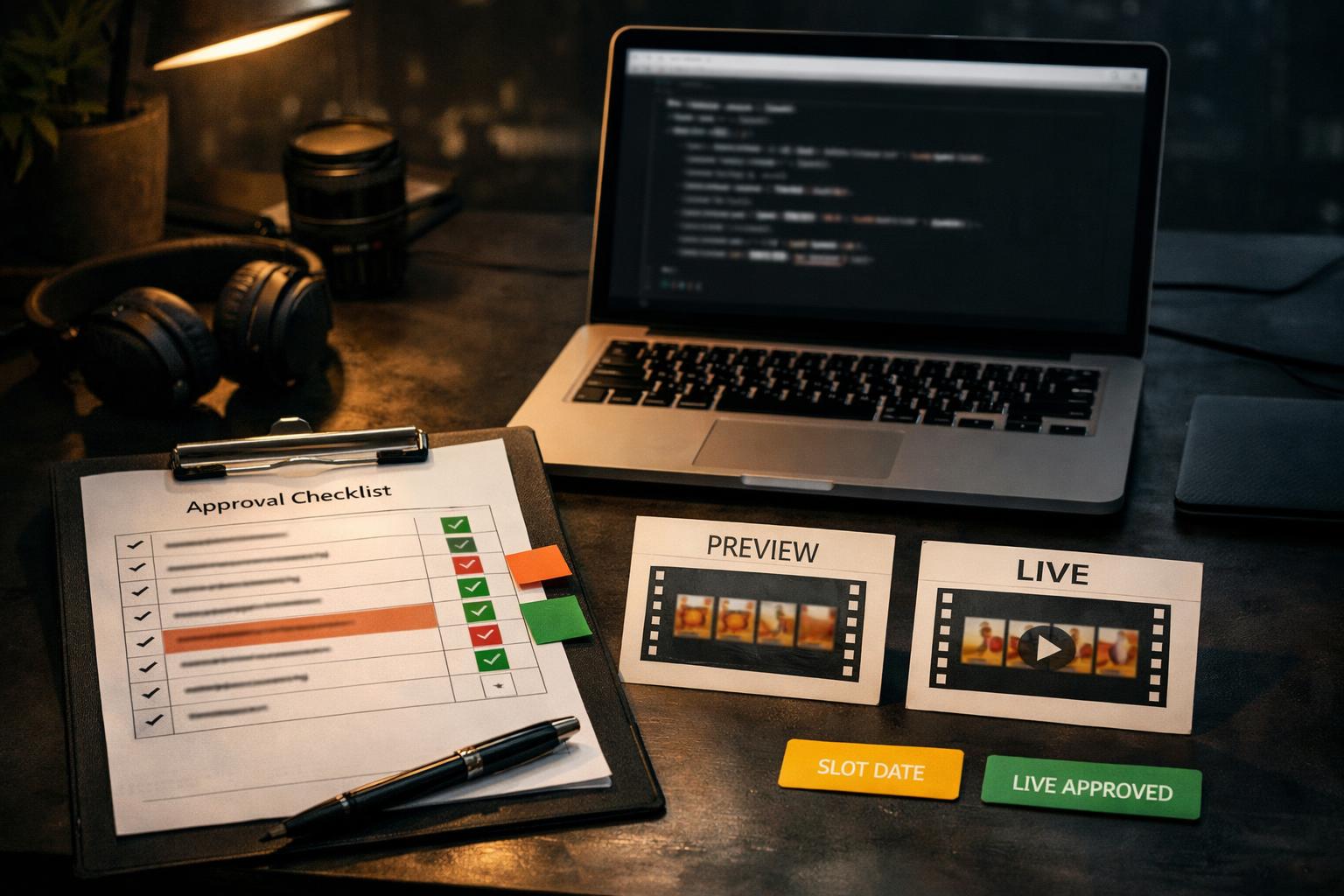
A small approval artifact solves most of this confusion. Instead of asking, 'Did the dry run work?', ask five narrower questions: Did we target the correct existing account? Is the slot genuinely unused and video-capable? Does the preview payload match the intended live payload? Did TokPortal validate the date and field rules for this operation? Has a human explicitly approved live execution as a separate step? That set is specific enough to use immediately and narrow enough to avoid turning dry run into a vague feeling of safety.
Completed worked artifact — filled decision rows for one proposed preview:
Proposed data
- Account state: delivered existing account
- Bundle slot: position 2 on a real video-capable bundle
- Media URL:
https://cdn.example.com/videos/flashcards-demo-v3.mp4 - Description:
I kept mixing up these four terms, so I turned them into one mnemonic. - AI-content disclaimer:
true - Target publish date:
2026-09-12 - Auto publish:
false
Human decisions
- Rights checked for the MP4: Yes
- Account fit reviewed by operator: Yes
- Live publish approved now: No, preview only
Decision table
- Destination account correct? — Yes — Reason: existing delivered account chosen intentionally for this audience.
- Unused video slot confirmed? — Yes — Reason: operator verified position 2 is unused before preview [2].
- Full payload included? — Yes — Reason: request includes video type, URL, description, date, disclosure, and
auto_publish: false[2]. - Date rule satisfied? — Proposed Yes — Reason: example date is more than one day ahead for a delivered or existing account, but the actual API response remains the deciding check [2][3].
- Creative approved? — Undecided — Reason: API validation does not answer creative quality.
- Safe for live execution immediately? — No — Reason: preview success would justify a separate human go/no-go step, not automatic publication.
- Preview IDs reusable live? — No — Reason: synthetic dry-run IDs must not enter a real call [1][3].
Compact request example — reusable REST payload for the preview itself:
PUT /api/ext/bundles/11111111-2222-4333-8444-555555555555/videos/2`
Headers:
- `X-API-Key: <redacted>`
- `X-TokPortal-Dry-Run: true`
- `Content-Type: application/json
Body: { "video_type": "video", "video_url": "https://cdn.example.com/videos/flashcards-demo-v3.mp4", "description": "I kept mixing up these four terms, so I turned them into one mnemonic.", "target_publish_date": "2026-09-12", "ai_content_disclaimer": true, "auto_publish": false }
What this example is for: structural validation of one proposed slot configuration. What it is not: proof of media durability, proof of publication, proof of audience response, or proof that the creative is strong.
A practical reading rule follows from the docs. Success means TokPortal accepted the request shape for this operation under current validation rules, with dry-run markers present and credits_charged at zero if that field appears [1][2]. Failure means the live call would fail for the same reason if sent unchanged [1]. Neither outcome settles the marketing question. A pass says 'this slot configuration is structurally admissible now.' A human still has to decide whether spending the slot is wise.
Why this article should exist separately from generic dry-run explainers
TokPortal’s sandbox documentation explains the simulation contract: the same validation and server-side pricing run as a real write, but the process stops before the first write, so nothing is created or charged. It also documents response markers such as dry_run, zero charged credits, and synthetic identifiers that cannot be reused in live requests [1]. That is the baseline, not the whole operating method.
One-slot review: what the platform checks vs what humans decide
- 01Platform-checked
Request shape, permissions, date rules, dry-run markers, synthetic-ID behavior.
- 02Human-decided
Creative quality, rights confidence, account fit, timing choice, live approval.
- 03Not answered by either preview alone
Future media durability, later platform acceptance, audience response, commercial outcome.
A responsibility checklist: API validation and human approval answer different questions.
The delivered-account MP4 preview recipe narrows the problem to a real existing account with an unused slot. It emphasizes authorized access, rights to the media, pagination and inventory checks, a dry-run PUT request against a chosen slot, full-replace request shape, and the caution that preview validates configuration rules rather than later publication success or media durability [2]. The key editorial lesson is to review the exact slot body, not an abstract idea.
The MCP documentation adds planning constraints around that slot decision: non-GET tools support dry_run: true, local dry runs require a current server version, one bundle maps to one account, the earliest publish date depends on account state, and the system applies a three-videos-per-day maximum per bundle [3]. Read together, the documents support a narrow operating pattern: preview for structural validity, then make a separate human allocation decision.
Completed checklist template — ready to copy:
- Proposed data recorded: account ID, bundle ID, slot position, media URL, description, disclosure, target date.
- Inventory confirmed: existing delivered account, authorized access, unused video-capable slot.
- Request completeness confirmed: all intended full-replace fields present.
- Dry-run proof checked: response header indicates simulation; body indicates
dry_run: true;credits_chargedis zero if returned. - Validation outcome classified: pass / field error / permission issue / date-window issue / slot-allocation issue.
- Human decisions recorded: rights yes/no, account fit yes/no, live approval yes/no.
- Execution boundary enforced: no preview IDs copied into any live task.
This checklist is proposed operating discipline, not a TokPortal feature.
From the idea to the actual workflow.
Product screens, documented tools and a practical way to connect them.
Prepare the actual video slot, not just the caption
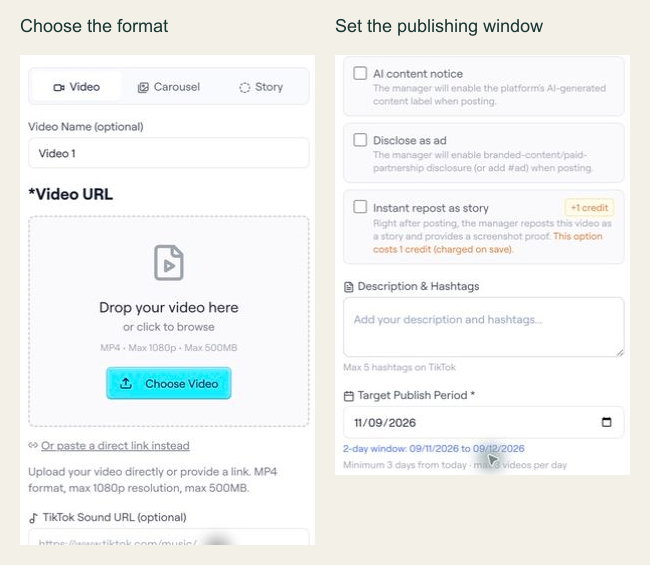
In the archived editor capture, the interface shows Video, Carousel and Story options, plus a target publishing period. The API example below is a separate documented slot-configuration preview; the screenshot alone does not establish the API contract.
PUT /api/ext/bundles/{id}/videos/{position}{
"tool": "tokportal_configure_bundle_video",
"arguments": {
"id": "<real-bundle-uuid>",
"position": 1,
"body": {
"video_type": "video",
"video_url": "<public_url returned by your video upload>",
"description": "A practical example of organising freelance subscriptions.",
"target_publish_date": "<valid future date: YYYY-MM-DD>",
"ai_content_disclaimer": false,
"auto_publish": false
},
"dry_run": true
}
}Replace the marked values with an authorized real bundle, a media URL you control and a valid future date. This is a dry-run template, not an executed campaign. The archived UI shows a two-day period for that captured example; use the current API validation response to determine the dates accepted for your own request.
- 01Choose the correct media fields
A video needs video_url and description. A TikTok carousel instead needs carousel_images and tiktok_sound_url.
- 02Use a valid window
Allow at least three days while account creation is pending, or one day for delivered/existing accounts. Check the current response and limits.
- 03Read the preview result
Check the simulation markers and date validation. If INVALID_DATE includes details.earliest_allowed, use that returned limit to revise the proposed date. Never copy preview IDs into live requests.
“Dry run tells you whether the slot configuration is admissible, not whether the post is worth spending the slot on.”
02FIELD KITA filled checklist you can reuse3 SCREENS
Proposed data
Record account state, slot position, media URL, description, disclosure choice and target date before running the preview.
Put it to work.
- 01Use a dedicated review sheet for each previewed delivered-account slot.
- 02Label proposed data separately from human approvals.
- 03Preview the full intended slot payload, not a reduced test body.
- 04Treat date and per-day failures as routing or scheduling problems first.
- 05Keep dry-run identifiers out of every live handoff or execution checklist.
Notes & sources.
The limit. A successful preview can validate request structure and current TokPortal rules for that operation, but it does not validate creative quality, future media reachability, later platform acceptance, or business outcome.
- developers.tokportal.com/sandbox/ · consulted September 8, 2026
- developers.tokportal.com/use-cases/no-code/mp4-delivered-account-preview/ · consulted September 8, 2026
- developers.tokportal.com/mcp/ · consulted September 8, 2026
THE ORGANIC CLUB is an editorial project initiated by TokPortal. That relationship is separate from the evidence behind claims. Editorial signatures and image credits are explained in our policy. Our editorial policy →